
ClickDesigns X is most compelling for people who repeatedly need product mockups, bundle presentations, covers and coordinated sales assets. Its template-led approach is a practical alternative to building every promotional visual from scratch, but it should not be treated as a replacement for specialist vector illustration, advanced photo retouching or demanding print-production software. We liked ClickDesigns for its easy, practical workflow; our recommendation is to start with Core and consider the Complete Bundle only when its additional capabilities solve recurring work.
The score is a qualitative assessment of audience fit, not a measured conversion rate or a benchmark of every X upgrade.Quick Deal: Start with the Front-End Core Offer
Advertised launch entry: $37 one-time.
For creators who need covers, product presentations and sales graphics without committing to the complete upgrade package.
The public X launch is scheduled for October 13, 2026. As checked on October 9, the existing offer link opens the vendor’s free webclass registration; it does not yet establish an available purchase at the advertised price.
Check the Front-End Launch Offer →What Makes ClickDesigns X Relevant to Online Sellers?
A sales graphic has a different job from an everyday social post. It needs to help a potential buyer understand what the offer contains: a course, a workbook, a software licence, a product collection or a group of bonuses. Consistent covers, device displays and bundle layouts can make those deliverables easier to understand without turning a sales page into a wall of text.
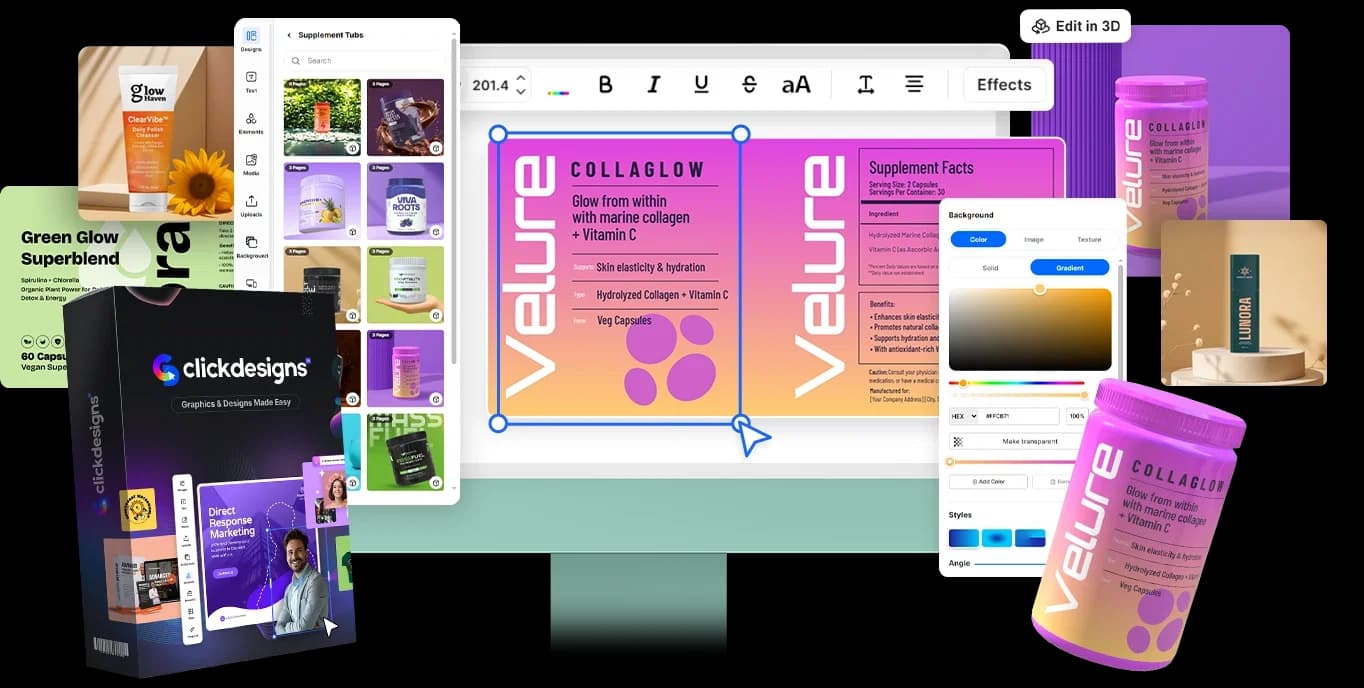
Mo Latif’s ClickDesigns X brings template-led graphics and product presentation into a browser-based editor. Its appeal is not that everyone needs another design application; it is that recurring marketing assets can be handled in a connected workspace. The important buying question is whether the templates, editing controls and export options included in your chosen plan match the work you actually do.
Want a closer look at the advertised editor workflow? Read our complete ClickDesigns X Workflow & Feature Guide.
Who Is ClickDesigns X Actually For?
Funnel Builders and Affiliate Marketers
ClickDesigns X makes the most sense when you regularly assemble visual presentations for online offers.
Typical needs include:
- Product boxes and coordinated cover designs.
- Bonus-stack and bundle presentations.
- Sales-page graphics and promotional banners.
- Call-to-action badges and supporting campaign assets.
The practical benefit is consistency: the visuals can communicate one recognizable offer rather than looking like unrelated designs collected from different places.
That does not establish a conversion lift. A clearer product presentation may support the buying journey, but sales still depend on the offer, audience, copy, traffic and checkout experience. Use mockups to explain genuine deliverables—not to suggest that a digital product includes physical items it does not provide.
Best fit: Someone with an existing offer or campaign who repeatedly needs sales-focused assets.
Digital Course Creators and Authors
Course creators and authors often need more than a single cover. A course may have a main presentation, lesson graphics, workbook covers and bonus materials. An ebook can need a flat cover for delivery and a mockup for its promotional page.
ClickDesigns X’s cover and product-presentation focus is relevant to that recurring workload. A coherent visual family can help readers distinguish the main product from its supporting materials.
Before buying, check whether Core includes the specific book, workbook or device layouts you want. A convincing promotional mockup is also different from a production-ready publishing file: a printer or publishing platform may require precise dimensions, bleed, colour settings and export formats.
Best fit: A creator preparing several related assets who values reusable visual consistency.
E-commerce Sellers and SaaS Founders
For e-commerce sellers, the relevant use case is presenting genuine packaging artwork and product variations consistently. For SaaS founders, it may be placing authentic dashboard screenshots inside desktop and mobile device mockups.
A suitable template can reduce the need to commission a new presentation for every angle or campaign. However, the mockup must still represent the real product accurately. Do not invent dashboard functions, alter packaging claims or use a generated product image as evidence of features customers will receive.
Check your required object shapes, device formats, output resolution and licensing. Standard templates will not necessarily fit a custom bottle, unusual package or highly specific hardware design.
Best fit: A seller with real product assets who needs repeatable promotional presentations—not custom industrial visualization.
Who Should Skip ClickDesigns X?
Designers Who Need Specialist Editing Control
Keep specialist tools central to your workflow if your work depends on detailed vector paths, node editing, complex compositing, precise typography or editable source-file delivery.
ClickDesigns X may still be useful as a supplementary presentation tool. But template convenience is not proof that it can replace every requirement in a professional illustration or photo-production brief.
People Who Only Need Occasional Social Quotes
If your entire workload is an occasional quote, announcement or simple social image, buying a specialized sales-asset platform may add little value.
An existing free design tool may already cover that job. Our preference for ClickDesigns does not mean every reader should purchase it. For a fuller assessment of the differences, read ClickDesigns X vs Canva.
Buyers with Demanding Commercial Print Requirements
Do not assume “print-ready” means compatible with every professional print workflow.
Custom Pantone separations, exact CMYK handling, unusual die lines and tightly controlled press specifications need verification with both the software and your printer. If those are essential requirements, establish compatibility before relying on the application for a client deadline.
Buyers Without a Defined Design Need
The upgrade demonstrations can look attractive, but “I might use this someday” is a weak reason to buy the complete package.
Identify the next few assets you need. If you cannot name them, postpone the purchase until there is a specific job for the software to do.
Quick Investment Summary
The official launch materials currently advertise a $37 Core offer and a $397 Complete Bundle, with a $100 bundle discount during launch. That discount would bring the bundle to $297 if accepted at checkout; its acceptance and final purchase terms have not yet been verified.
| Offer | Advertised One-Time Launch Price | Capability Summary | Best Fit |
|---|---|---|---|
| Front-End / Core | $37; confirm the final checkout total | Core graphics and product-mockup workflow; Commercial Licence advertised | Individuals testing a defined set of sales assets |
| Complete Bundle Deal | $397, or $297 if the advertised $100 discount applies | Core plus the five advertised upgrades for expanded capacity, social publishing, advanced 3D, agency work and AI campaigns | Established users with recurring needs across several capabilities |
Exact template counts, AI allowances, project limits and asset rights should be checked for the purchased licence. Do not assume that every template or animated mockup shown across the funnel belongs to Core.
For the breakdown of all five upgrades and their advertised prices, read our ClickDesigns X Pricing Guide.
Front-End Core Deal: Best for a Focused First Project
Advertised launch price: $37 one-time.
Start here if your immediate need is a set of covers, product mockups or coordinated promotional graphics. Confirm that the exact templates and exports you need are included.
The vendor advertises a Commercial Licence and a 30-day money-back guarantee for the front end. Read the final terms before paying.
Check the ClickDesigns X Core Offer →Complete Bundle Deal: For Recurring Multi-Capability Work
Advertised price: $397 one-time; potentially $297 with the announced launch discount.
Consider the bundle when expanded production capacity, social publishing, animated or interactive mockups, agency management and additional AI campaign tools are genuine recurring requirements.
A larger package is not automatically better value. Confirm its exact inclusions, limits, discount and refund terms before choosing it.
Check the Complete Bundle Offer →At the October 9 availability check, both tracking links led to the vendor’s webclass registration. These buttons let you check the official destination; they do not imply that checkout is already open.
The Reality Check: Is ClickDesigns X Actually Worth Buying?
Template Convenience Versus Custom Design
The strongest case for ClickDesigns X is repeatability. If suitable templates cover your regular workload, adapting a consistent visual system can be more practical than repeatedly commissioning or rebuilding standard assets.
The trade-off is creative flexibility. Templates cannot guarantee a distinctive brand identity, and a custom illustration brief may still need a designer. Replace generic sample text, check visual hierarchy and avoid using attractive mockups to disguise an unclear offer.
Compare It with Your Own Outsourcing Costs
Use your actual quotes rather than a universal claim about freelance prices.
If a freelancer has quoted you $50–$150 for a particular mockup, the advertised $37 Core entry could cost less than that one commission—provided it produces the required result within the included plan. That is a conditional budget comparison, not a measured saving from our testing or a claim about every marketplace gig.
The bundle requires a stronger case. At $297–$397, it should replace recurring work or unlock capabilities you will use repeatedly. Include your editing time, any additional services and the cost of work the software still cannot handle.
Ease of Use Does Not Remove Quality Control
We found ClickDesigns easy and practical for our needs. Beginners should still allow time to learn layout, branding, image placement and exports.
Heavy browser-based designs can be sensitive to device performance, connection quality and project complexity. Test representative layered mockups on your own setup rather than assuming every template will render equally quickly; we are not reporting measured X rendering delays.
A useful evaluation is whether you can produce the assets you need at acceptable quality—not simply whether the demonstration looks impressive.
Our Final Recommendation
Start with Core if you repeatedly need sales graphics and can identify a suitable first project.
Check the exact inclusions, create representative assets and confirm that their export quality and commercial-use terms fit your work. The vendor’s advertised 30-day guarantee provides a stated evaluation window, but read the applicable conditions and refund-request procedure before paying.
Consider the Complete Bundle when advanced 3D presentation, social scheduling or agency capabilities are recurring requirements. Confirm the specific client-account arrangements rather than assuming that “Agency” automatically provides every sub-account or white-label right you need.
Our positive experience supports recommending ClickDesigns for an easy, practical marketing-design workflow. It does not establish that every X upgrade is necessary, that every asset is unrestricted or that improved graphics will produce sales.
For the broader assessment, read our complete ClickDesigns X review.
Check Core Availability and Launch Terms →Frequently Asked Questions
Is ClickDesigns X suitable for complete beginners?
Its template-led, point-and-click approach makes it a relevant option for beginners who need promotional graphics without learning a specialist design application first. We liked ClickDesigns for its easy, practical workflow, but new users should still learn basic layout and branding. Confirm that the templates and export options required for your first project are included in your plan.
Do I need Photoshop or Canva if I have ClickDesigns X?
You may not need another application for the specific covers, mockups and sales assets that your ClickDesigns plan handles well. Photoshop or specialist vector software can remain useful for advanced retouching, custom illustration and precise source-file work, while Canva may cover broader everyday content needs. Choose tools around your actual deliverables rather than expecting one application to replace everything.
Are the templates and mockups royalty-free for commercial client work?
The vendor advertises a Commercial Licence with the Core launch offer, but that is not a blanket guarantee that every stock image, font, template or AI output has unrestricted rights. Check the current licence and asset-specific terms for client delivery, resale, redistribution and any attribution requirements. Commercial use also does not automatically grant exclusive ownership or permission to resell the underlying templates.
What is the refund policy?
The official launch documentation advertises a 30-day money-back guarantee for the front-end offer. Confirm the exact policy for the plan you purchase, including the request procedure, applicable conditions and deadline, and keep your order confirmation. We have not tested refund execution, and bundle or upgrade coverage should not be assumed without checking its terms.