
Coupon status, checked October 16, 2026: No ProfitMaps AI coupon code or accepted discounted checkout amount has been verified for this guide. Basic is advertised at $37, Gold at $297 and Platinum at $697 ahead of the October 21 release. “Bundle” describes a package, not proof of a saving against the exact features you need.
What Is Confirmed About the October 21 Launch?
The official launch page advertises October 21, 2026 at 11 AM EDT, equivalent to 15:00 UTC. This article is dated October 16, before that release. A scheduled date, countdown or working preview is not proof that a payable order is available.
The seller's current terms of service describe plan purchases as one-time payments, with upgrades and extra credits sold separately. That is useful written policy evidence. It is not a substitute for inspecting the billing line on the particular order you select.
No specific future price increase, percentage discount, coupon expiry or Fast-Pass checkout is verified here. “Early bird” should not become a made-up deadline. If the seller changes prices after launch, compare the actual offers at that time rather than predicting a number now.
For the complete product context and limitations, read our ProfitMaps AI review. This guide focuses on package selection and transaction checks, not another feature walkthrough.
Advertised Price Summary: Compare Purchase Paths
Amounts below are advertised USD prices, not confirmed live order totals. Taxes, optional extras and additional usage may be separate.
| Offer or route | Advertised amount | What the amount establishes | What to check before choosing |
|---|---|---|---|
| Basic | $37 | Entry-price reference | Credits, billing line, exports and actual account limits |
| Pro | $67 | Separately listed upgrade | Branding rights, expanded grid and whether required prerequisites are included |
| Business Finder | $97 | Separately listed prospecting upgrade | Search allowances and whether you actually need another discovery tool |
| Gold Bundle | $297 | Named alternative package | Written inclusion list, exclusions and overlap with earlier purchases |
| Platinum Bundle | $697 | Higher-priced alternative package | Exact account permissions, capacities and included tiers |
| Fast-Pass | Not verified | No specific offer or price established | Whether it exists, what it includes and whether it duplicates another selection |
Other funnel rows include draft prices and later offers. This is deliberately not a sum of every advertised upgrade: the Gold and Platinum packages are alternative purchase paths, and a buyer does not necessarily need every tier.
Do not substitute a direct post-purchase upgrade URL for the approved offer destination. All action buttons in this guide use the same configured link. The package that appears at the destination must be verified before selecting it; this guide does not invent a separate bundle link.
How to Verify a Genuine Coupon
An accepted coupon has several parts: a real code, an eligible offer, a discount calculation and a total that actually changes. A blog headline saying “exclusive discount” supplies none of those by itself.
Use this process when a code is officially announced:
- Check the source. Look for a seller announcement or an offer-page statement, not a coupon scraped from another product.
- Match the exact package. A code for Platinum may not apply to Basic, Gold, a payment plan or an upgrade.
- Read restrictions. Check currency, expiry, prerequisites and whether another promotion can be combined with it.
- Apply it before paying. Verify that the order form acknowledges acceptance rather than merely retaining the text you typed.
- Inspect the revised total. Check taxes, selected extras and any recurring billing separately.
- Keep evidence. Save the offer name, code and displayed terms with your order confirmation.
Do not complete an order just to find out whether a discount worked. If the amount does not change as expected, stop and ask seller support.
There is no legitimate coupon to print in the “code” column of this article yet. Nor should the $18.50 figure in partner commission material be mistaken for a customer discount: half of a $37 sale is commission arithmetic, not evidence that the buyer can pay $18.50.
Full Cost Math: Bundle Savings Must Use Matching Inclusions
Start with the package you need, not the largest reference-value total. A useful calculation is:
Comparable separate cost − actual package cost = potential package saving.
The two sides must buy the same licences, usage and prerequisites. Otherwise, the apparent saving is a comparison between different products.
Basic Plus Pro Is Not Automatically a Bundle Equivalent
The advertised Basic and Pro amounts sum to $104: $37 + $67. If Pro is purchased as an add-on to Basic, that is a useful pre-tax planning reference—not a verified checkout quotation.
Compared with that narrow route, Gold's advertised $297 is $193 more, not an automatic discount. The additional spend may be sensible if the package includes capabilities you need, but those inclusions must be confirmed.
Basic, Pro and Business Finder sum to $201 at their advertised amounts. That remains $96 below Gold. Do not say Gold saves money against those three alone; identify the additional relevant entitlements or choose the smaller route.
Platinum's advertised $697 is $400 more than Gold. A higher package should solve a recurring operational requirement, not merely display a larger “value” figure. None of these calculations establishes the compatibility of separate upgrades or the total with taxes.
Who Should Start Small—and Who Might Need a Bundle?
A solo operator validating one workflow should first establish whether the entry allowance covers a useful trial. Do not pay for agency capacity before you know what consumes credits or how you will deliver the service.
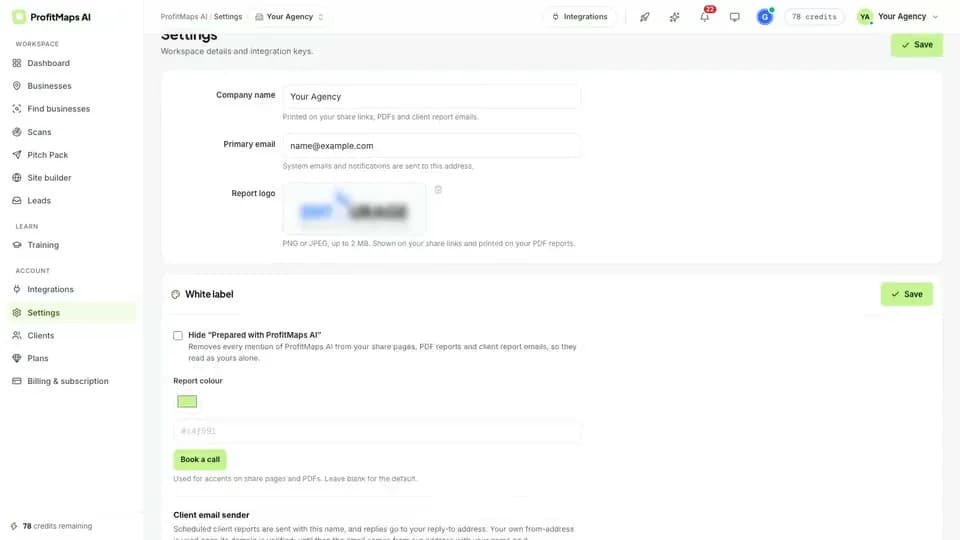
An agency needing branded reports should verify Pro or an explicitly inclusive package. Check attribution removal, PDF/export rights and the actual usage allowance instead of assuming that every “commercial” licence includes white-label client delivery.
A business with an existing prospecting stack should assess Business Finder for duplication. Paying again for a database is not a saving if the new tool does not improve qualification or reduce another expense.
A multi-client operation can consider Gold or Platinum after obtaining a written inclusion list. Separate customer workspaces, managed customers and independently provisioned client accounts may represent different permissions; names alone do not resolve that distinction.
Our grid audit framework helps define the work you need to measure. The local SEO retainer playbook helps define what you can responsibly sell. Buy the licence that supports those tasks, not an imagined future agency.
Safe Checkout, Access and Bonus Checks
Before paying, confirm the product name, selected licence, currency and billing schedule. Remove optional extras you do not want and check the final amount again. Do not assume a preselected order-form item belongs to the entry offer.
For a bonus, establish who supplies it, the eligibility conditions, delivery method and whether it depends on a particular package. An attractive bonus list does not establish separate cash value, unrestricted redistribution rights or access after a refund.
After a genuine purchase, retain the receipt and access email. Confirm that the account displays the purchased plan and the correct starting allowance, then inspect the promised export or branding controls. If something differs, contact support with the order details rather than purchasing another upgrade to solve an unexplained access issue.
Never publish private receipt tokens, account links, API keys or customer information in a public support comment or review screenshot.
What the Seller's 30-Day Refund Policy Actually Says
The seller's published refund policy, checked October 16, states a 30-day money-back period and applies the period separately to upgrades and bundles from their respective purchase dates. This is a seller policy, not a refund transaction we have tested.
Read its full conditions and the order-specific terms before purchase. The policy excludes late requests and abuse, does not reimburse charges from a separately connected map-data provider, and removes software access and included bonuses after a refund. Request a refund through the seller's support or the route shown on your order receipt.
Do not treat a refund window as a guarantee of business results or “no possible risk.” Refund processing, third-party charges and your own implementation time are different issues. A buyer should be able to assess the actual licence without being encouraged to rely on an assumed outcome.
Final Buying Recommendation
Prepare a small requirements list now, then verify the offer when the advertised October 21 release opens. Basic may be an appropriate starting point for a limited workflow; consider Pro or a bundle only when its confirmed capabilities fill an identifiable gap.
The dedicated ProfitMaps AI sister site offers another reference for the documented setup and purchase questions. It is an affiliated editorial property, not an official seller page or independent evidence of coupon acceptance.
Revisit our in-depth ProfitMaps AI review for the provisional 7.6/10 workflow-fit assessment. A live cart would confirm availability, not software performance, ranking gains or a reason to increase that score automatically.
Frequently Asked Questions
Is there a verified ProfitMaps AI coupon code?
No code or accepted discounted order total has been verified for this guide as of October 16, 2026. Use only a seller-issued code that applies to the selected offer, and inspect the revised total before payment. A commission figure or another product's code is not a valid discount.
Does ProfitMaps AI have a Fast-Pass offer?
A specific Fast-Pass price, checkout and inclusion list have not been established from the inspected material. Treat it as a question to resolve if such an option appears, not a package you must buy. Compare its contents with the selected bundle to avoid duplicate payment.
Are Gold and Platinum guaranteed to save money over separate upgrades?
No: a saving requires an equivalent, verified set of inclusions and actual order totals. The advertised Basic, Pro and Finder amounts sum to $201, which is below the advertised $297 Gold price, but the packages may contain different entitlements. Buy a larger package for confirmed useful capacity rather than an unverified reference-value claim.
Is there a 30-day money-back policy?
The seller's public refund policy states 30 days from each purchase, including upgrades and bundles, subject to its conditions. Keep the applicable terms and request route; third-party data-provider charges are not covered by that policy. We have not tested refund execution or confirmed a live order's final terms for this guide.