
Quick Decision: Does TokMax AI Fit Your Workload?
Consider TokMax AI for a connected content workflow—not a guarantee of traffic. The vendor advertises a $37 one-time Creator license with 10,000 one-time credits, browser access and commercial use. Before buying, establish what spends credits, which publishing flow is available and what the exact license and return terms permit.
Our provisional 7.4/10 reflects the documented workflow proposition. Start with our full TokMax AI benchmark review for the wider assessment, or use the numbered answers below to resolve a specific purchasing question. The vendor's specifications were checked October 12, 2026; unresolved terms are identified rather than filled with assumptions.
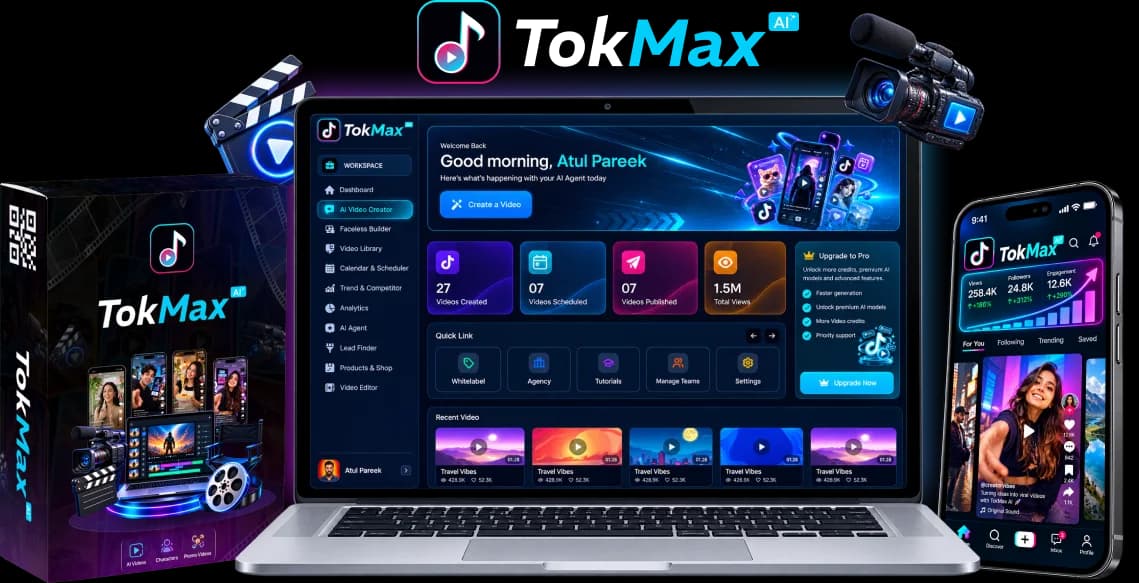
TokMax AI FAQ: Credits, Access and Production
1. How Exactly Does the Credit System Work, and Do Credits Renew Monthly?
The documented Creator allocation is 10,000 one-time credits, not 10,000 credits each month. The vendor offer document does not provide a dependable action-by-action tariff for turning that balance into a video allowance.
2. Can Automated Posting Cause TikTok Shadowbans or Account Restrictions?
No tool can guarantee immunity from account restrictions, and using a scheduler is not itself proof of a “shadowban.” Treat content moderation, account permissions, posting limits and audience response as separate issues. If a post fails or gets little reach, diagnose the actual status rather than assigning a cause from views alone.
3. Is TokMax AI Cloud-Based, or Does It Require Desktop Rendering?
The vendor describes TokMax AI as cloud-hosted, with no installation or VPS required. That proposition suits creators who prefer browser access over installing a local production stack. It does not establish offline operation, a native desktop app or a specific render time.
4. What Video Formats, Aspect Ratios and Resolutions Does It Support?
Exact TokMax export presets, resolution ceilings and watermark rules still need plan-specific confirmation. A TikTok-focused product should be evaluated for a vertical 9:16 workflow, but that positioning does not prove a particular 1080p or 4K export entitlement.
5. Does the $37 Creator Offer Include a Commercial License to Sell Videos to Clients?
A commercial license is listed in the Creator specification, but its precise rights need to be read before accepting client work. Treat selling a finished video, supplying client account access, white-labeling the dashboard and reselling the software as different activities.
6. Can I Add My Own Voiceovers, Music and Media B-Roll?
The documented editor includes music and voiceovers, but it does not fully specify custom-upload formats or limits. Ask for a demonstration using your own narration file and B-roll, rather than assuming a stock-media feature also supports all external assets.
7. How Is TokMax AI Different from CapCut or Premiere?
TokMax's documented proposition is a connected planning, generation and scheduling pipeline; a precision editor prioritizes control over the finished cut. The difference is where each workflow is intended to save effort, not proof that one replaces the other.
TokMax AI FAQ: Returns, TikTok Permissions and Upgrades
8. How Does the 30-Day Money-Back Guarantee Work for TokMax AI?
A product-specific 30-day TokMax return period is not established by the launch specifications or the generic vendor terms we checked. Do not treat a familiar checkout-platform guarantee badge, another product's policy or a review headline as confirmation of this offer's duration and conditions.
9. Do I Need My Own TikTok Developer API Credentials to Connect Accounts?
A hosted integration normally uses the software provider's approved app, while the creator authorizes their own account. That architectural expectation does not establish TokMax's actual onboarding flow; ask for the demonstrated connection process.
10. Can I Manage Multiple TikTok Accounts from One Dashboard?
Multi-account management is advertised in the AutoTraffic tier where supported, but unlimited Creator-plan accounts are not established. Ask how many accounts your tier allows, whether they can belong to clients and what happens when an account disconnects.
11. Are Captions and Subtitles Auto-Generated and Editable?
The vendor advertises generated captions and includes captions in the built-in editor's feature list; the depth of editing controls needs demonstration. Generated text is a starting point, especially when your topic contains product names, acronyms, prices or specialist terminology.
12. What Happens When the Initial 10,000 Credits Run Out?
Further metered generation depends on whatever replenishment or upgraded allowance the vendor actually provides. Running out of credits does not, by itself, establish whether existing exports, library access or non-metered scheduling remain available; ask about each function separately.
13. Does It Support Non-English Scripts, Voiceovers and Captions?
A reliable language-by-language coverage list is not established in the checked launch specification. Script generation, narration voices, caption recognition and editor font support can have different coverage; support for one does not prove support for all four.
14. Which Upgrade Is Actually Essential for Scaling?
No upgrade is universally essential; the right one depends on the constraint you have identified. Faceless addresses channel and series workflows, Power advertises processing and storage capacity, AutoTraffic broadens traffic/account workflows, DFY supplies vendor-assisted services, and White Label Agency targets client and resale operations.
15. Is There Live Customer Support if Video Rendering Fails?
The vendor provides a support desk, but live chat, round-the-clock response and a guaranteed resolution time are not established for the Creator offer. The launch document identifies the Oppyo support desk and support@oppyo.com. Its public page has a ticket-submission route.
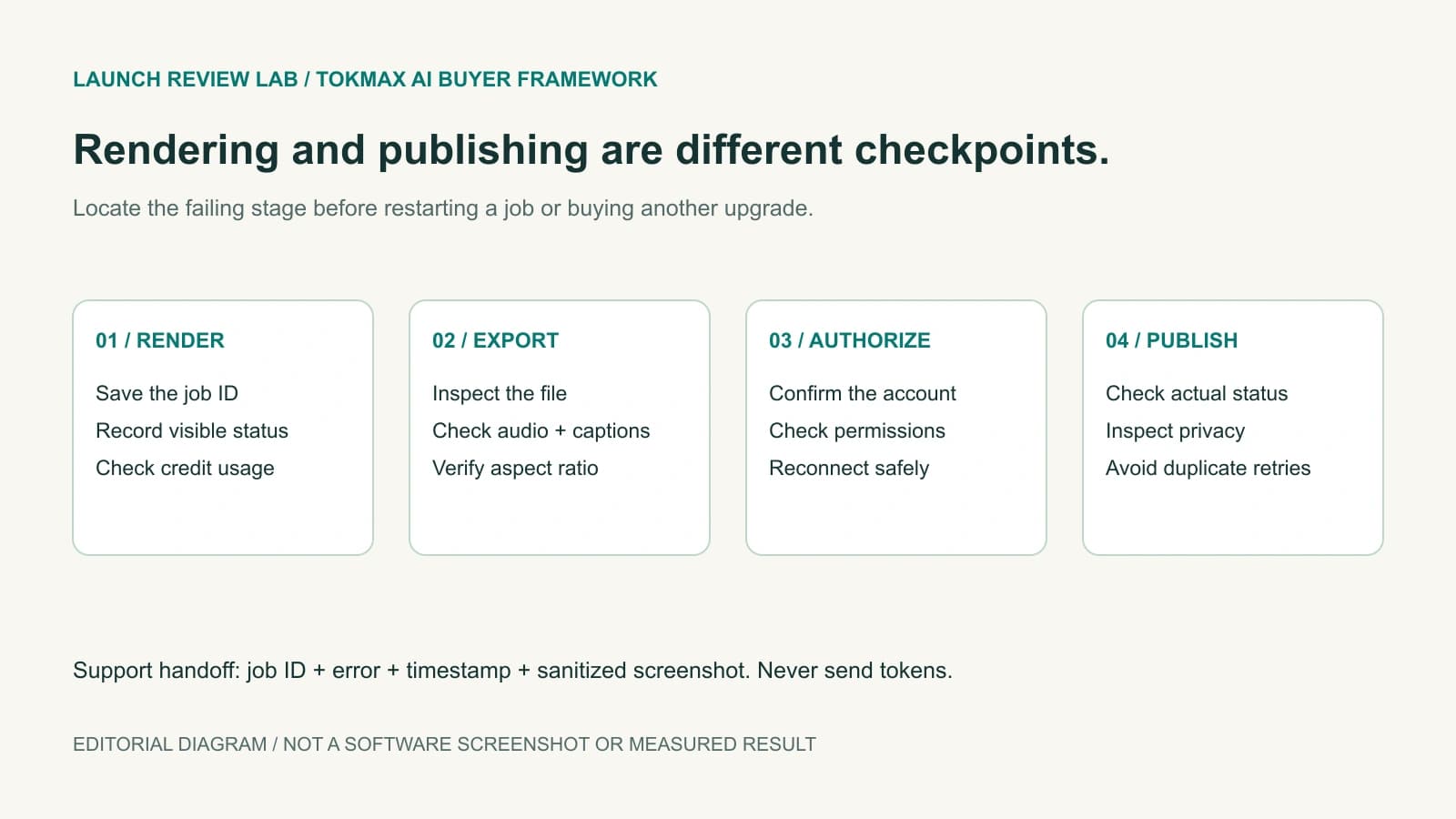
Troubleshooting: Identify the Failing Stage Before Retrying
A problem at one stage does not establish that the whole product is broken. Record the current state before changing settings, buying another tier or starting a duplicate job. The following are suggested checks, not verified TokMax error messages or a claim that each fault is present in the software.
| Symptom | Distinction to make | Safe next step |
|---|---|---|
| Render remains queued | Pending work versus a confirmed failed job | Save the job ID and status; ask support before repeated charged retries |
| Export plays incorrectly | Source render versus local player or file compatibility | Inspect file properties and test a second player without altering the original |
| Scheduled video is not public | Draft upload, private visibility, moderation or failed publishing | Check the selected account, post status and privacy; avoid duplicate submissions |
| Account requires reconnecting | Authorization expiry or revocation versus generation capacity | Use the official connection flow; do not share credentials in tickets |
| Credit balance differs from expectation | Metered actions versus a billing/account mismatch | Capture before/after balances and request the applicable usage record |
| Paid upgrade is missing | Order delivery/account mismatch versus license scope | Use the receipt and purchase email; do not repurchase as a troubleshooting step |
TikTok provides post-status polling and webhooks to distinguish processing, completion and failure. Ask what status the software exposes rather than treating “scheduled” as a confirmation of publication. For the overall sequence, refer to our TokMax workflow guide.
Closing Checklist Before Purchasing
Buy only when the product fits a defined workload and the unresolved terms are clear enough to budget responsibly. A connected workflow can be useful without every optional feature being necessary.
- Confirm the actual working sales destination and final price; vendor and public-listing launch dates currently differ.
- Read the per-action credit tariff, replenishment prices and expiry rules.
- Check required export dimensions, watermarks, caption controls and custom-media support.
- Confirm account authorization, public-posting availability and the software's account limits.
- Read commercial-use rights separately from white-label and reseller permissions.
- Save the exact return terms and support route for each purchased offer.
- Choose only the upgrade that resolves a demonstrated limitation.
Bottom line: start with Creator only if its actual allowance and workflow cover your first production routine. Plan to review the outputs and supervise publishing. If the offer is unavailable or essential terms cannot be clarified, wait rather than buying around an assumption.