
Quick verdict: Provisional 7.4/10 · Connected workflow potential. TokMax AI's strongest proposition is keeping scripts, video assembly, captions and publishing preparation in one workflow. Its advertised $37 Creator offer includes 10,000 one-time credits, but a credit balance alone does not establish how many usable videos you can produce. Consider it for reducing production handoffs—not as a purchase that guarantees viral traffic or removes editorial responsibility.
The No-Hype Premise: Faceless Is a Format, Not a Business Model
A faceless channel can use narration, original demonstrations, licensed footage, screen recordings or animation without a presenter appearing on camera. That format does not eliminate the need for a clear audience, an original angle and something worth watching. Automating assembly is a different task from earning attention.
The useful question in this TokMax AI honest review is therefore not “Can software make a video?” It is “Does the connected workflow help me produce enough relevant, publishable videos at an acceptable cost?” A draft that needs extensive repairs can consume more time than a simple manual edit. Conversely, keeping a brief, script, media library and publishing slot together can be valuable when moving files between tools is your real bottleneck.
Our assessment uses the vendor's launch specifications and documented offer breakdown, checked October 12, 2026. The vendor advertises October 12 at 11 AM EDT, while the public offer listing still shows October 15; the saved purchase destination returned HTTP 500 in our check. A launch date is not proof that checkout is open. This article evaluates the documented design and buying decision, not a timed rendering benchmark.
For the broader product assessment, read our full TokMax AI benchmark review. This companion article concentrates on the practical gaps between a workflow promise and a repeatable content operation.
What TokMax AI Actually Does Well on Paper
Bringing the Brief and Video Draft Together
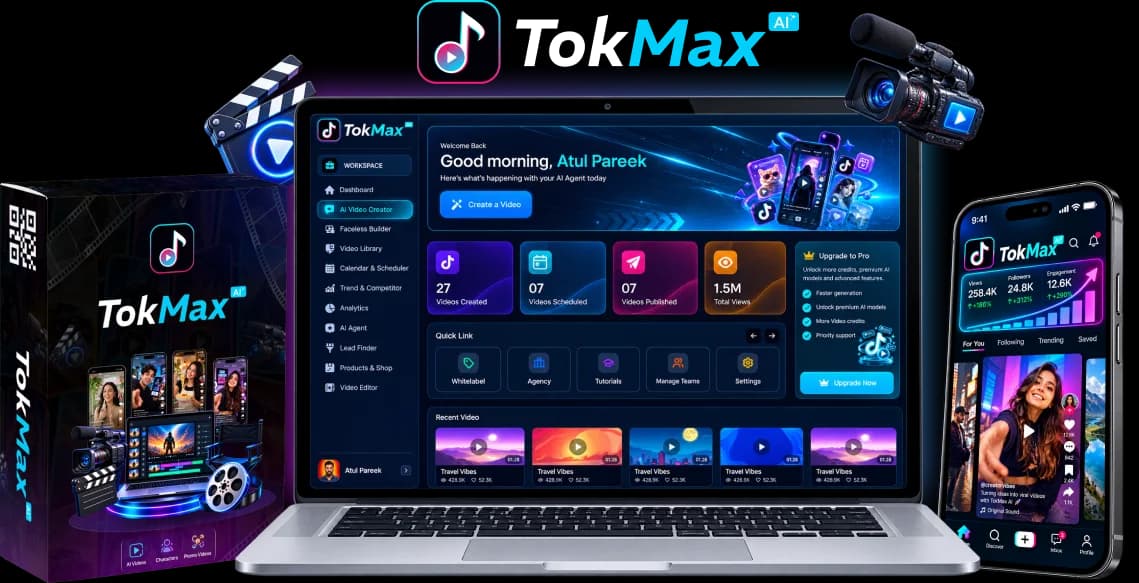
The documented creation inputs include a keyword, topic, product, image, script or URL. The proposed advantage is continuity: develop an angle, turn it into a script, assemble the video and retain the project in the same workspace. That can be more useful than another standalone text generator if you regularly lose time transferring material between apps.
Fast script-to-video turnaround is the intended benefit, not an established speed measurement. Before relying on it, check whether the first output follows your brief, uses relevant scenes and leaves you with editable material. A polished demonstration using one topic is not enough to estimate your own production rate.
For an educational product video, a useful brief might explain one mistake, show one concrete example and end with a proportionate next step. A vague request for a “viral video” gives you fewer objective ways to judge the result. Better briefing can reduce wasted revisions regardless of which tool you choose.
Keeping Captions, Voiceovers and Editing in the Same Process
The Creator specification lists captions, music, voiceovers and basic trimming, splitting, cropping and resizing. Bringing these tasks together could reduce handoffs between a script writer, a narration service and an editor. It does not establish a particular voice quality, language catalogue or frame-accurate timeline.
Judge captions against the spoken words, especially brand names, prices and specialist terms. Listen to the narration at normal speed and preview the video on a phone-sized screen. A caption can be spelled correctly and still be difficult to read because of timing, line length or placement.
If exact cuts, keyframes and audio synchronization are your main concerns, use our TokMax AI vs CapCut comparison. Connected automation and precision editing solve different problems; neither should be described as universally better.
Organizing a Calendar Rather Than a Folder of Exports
The vendor lists date, time and timezone scheduling, bulk scheduling and a calendar with upcoming, scheduled, published and failed states. That proposed organization is meaningful for a recurring series: the next topic, approved export and intended release slot can remain connected.
However, a calendar entry is not a successfully published TikTok. Look for clear failure messages and a way to recover without duplicating posts. The TokMax AI workflow guide covers the creation-to-scheduling sequence; here, the buying issue is whether the handoff is dependable enough for your needs.
Genuine Limitation 1: 10,000 Credits Is Not a Video Count
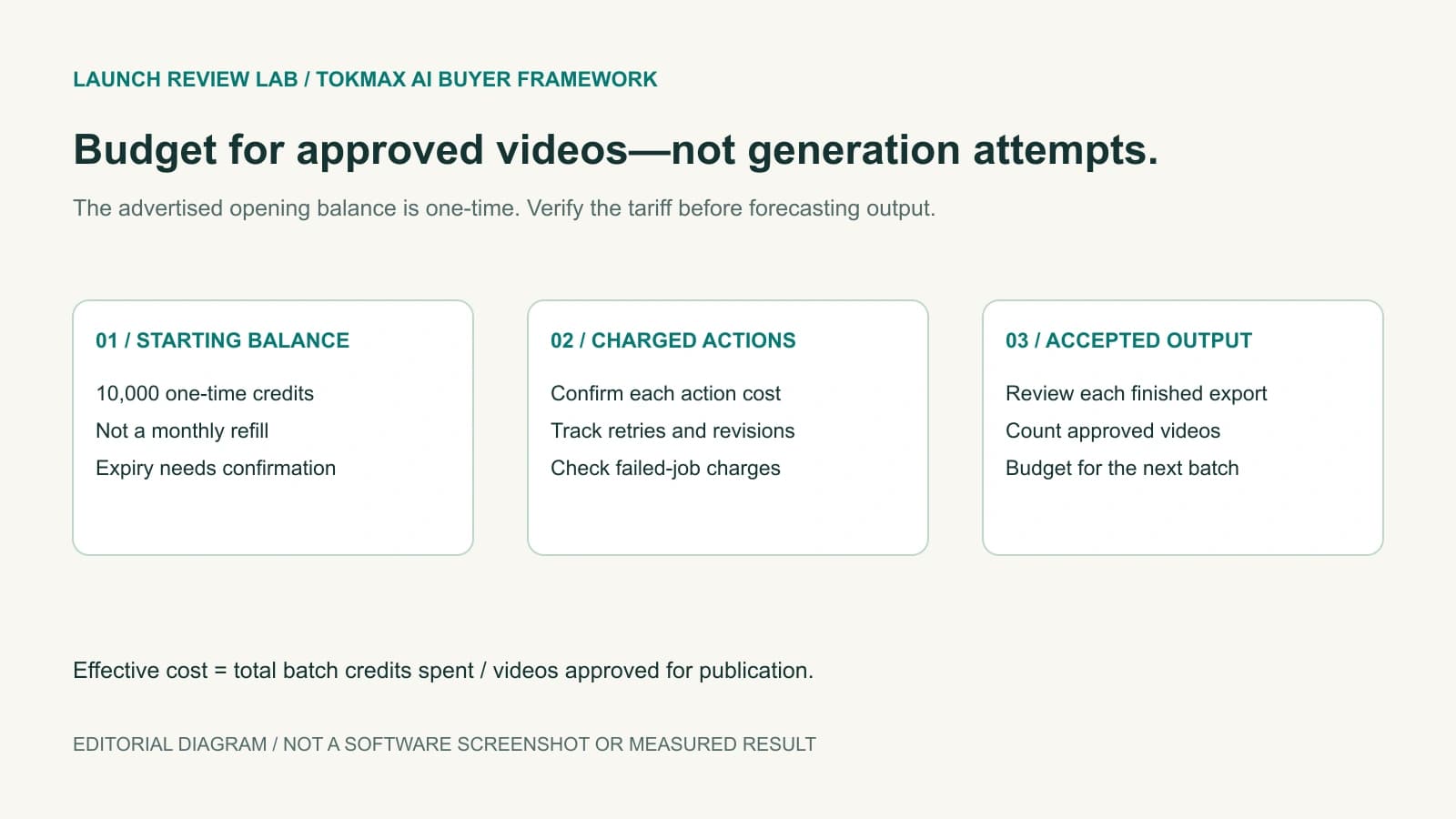
The entry allocation is explicitly advertised as one-time only, not a monthly refill. Without a consumption schedule, “10,000 credits” cannot be translated into a reliable number of videos, minutes or campaigns. A model choice, output duration or repeated generation may affect the bill, but TokMax's exact metering requires confirmation.
Separate your budget into three stages:
- Exploration: trying briefs, voices and visual directions before you find a repeatable format.
- Production: creating the outputs you actually accept for publication.
- Maintenance: making corrections, updating old material and producing the next batch.
A recurring channel needs capacity for all three. Counting only the first successful render understates the work involved in finding a usable format.
Calculate Credits per Approved Video, Not per Attempt
Use this planning formula once you can inspect real account usage:
Credits per approved video = total credits spent on the batch ÷ number of videos approved for publication.
For illustration only, if an account spent 1,200 credits on a batch and you accepted four videos, the effective cost would be 300 credits per approved video. Those numbers are a hypothetical budgeting example, not TokMax measurements or its tariff. If none of the outputs meet your requirements, there is no useful approved-video average yet.
Ask whether failed jobs, alternate voiceovers, regenerations, exports and optimization actions are charged. Confirm credit expiry and replenishment prices before building a monthly production forecast. The TokMax AI pricing, upsells and credits guide covers the offer details; do not substitute the software's one-time price for a complete operating budget.
Genuine Limitation 2: Scheduling Does Not Solve Retention
We do not assume that TikTok penalizes a video merely because AI helped create it. Our practical concern is simpler: an irrelevant opening, generic footage or poorly timed narration gives a viewer little reason to continue watching. Scheduling that output more frequently does not fix the underlying creative problem.
Before approving a video, apply a short editorial review:
- Hook: Does the opening make a specific promise the video actually fulfills?
- Relevance: Does each scene explain the topic rather than merely decorate it?
- Pacing: Can a viewer follow the idea without waiting through unnecessary setup?
- Accuracy: Are facts, product claims and spoken captions correct?
- Original contribution: Is there a useful explanation or demonstration beyond a generic template?
Treat these as quality checks, not an algorithm hack or a promise of reach. After publishing, compare your own audience response across topics and formats. Use the observations to improve the next brief rather than assuming every low-view post means the scheduler is broken.
AI Disclosure and Publishing Permission Are Separate Checks
TikTok requires disclosure for realistic AI-generated images, audio and video. Its AI-generated content guidance also says that using the disclosure setting does not, by itself, reduce distribution for compliant content. Labels do not excuse impersonation, false endorsements or other prohibited material.
Separately, public direct posting requires the appropriate authorization and an audited integration; unaudited API clients face private-viewing restrictions. See TikTok's Direct Post requirements. Those platform rules establish requirements, not proof that TokMax's integration has satisfied them. Ask for the actual publishing flow before treating “bulk scheduling” as unattended public posting.
Genuine Limitation 3: The Front End Is Not the Whole Funnel
The documented Creator offer already lists creation, editing, scheduling and a library. Optional upgrades broaden channel-building, capacity, traffic workflows, vendor-assisted setup and agency operations. The presence of a feature in a launch demonstration does not automatically establish that it is included in your entry license.
| Need | Advertised offer boundary | What to establish before buying |
|---|---|---|
| Occasional drafts and a basic content routine | Creator front end | Credit consumption, exports and scheduling access |
| Recurring faceless series and niche planning | Faceless upgrade | Which channel workflows exceed Creator capabilities |
| Greater processing, storage or bandwidth | Power upgrade | Quantified limits and whether credits also increase |
| Broader posting, traffic or account workflows | AutoTraffic upgrade | Supported accounts, authorization and exact automation controls |
| Vendor-assisted setup and content resources | DFY Service | Written deliverables, duration, access requirements and revisions |
| Client seats, branding or resale operations | White Label Agency | License scope, client limits and support responsibilities |
This is a needs map, not a recommendation to buy every tier. The $367 Complete Bundle and $147 Mega Bundle are distinct offers; do not assume the latter contains the complete upgrade stack. Use the pricing guide for the detailed comparison and coupon qualifications.
TokMax AI Pros and Cons: Which Trade-offs Matter Most?
| Practical strength | Corresponding limitation |
|---|---|
| A documented idea-to-calendar workflow | Production quality and publishing reliability still need evaluation |
| Several starting inputs for content drafts | Weak briefs can produce generic or inaccurate material |
| Basic editing, captions and voiceovers together | Precision editing and language coverage are not established by the feature list |
| Advertised $37 one-time entry | Included AI credits are finite and non-renewing |
| Optional channel and agency capabilities | Upgrade boundaries and licensing must be checked separately |
What About TokMax AI Complaints?
Searching for “TokMax AI complaints” is sensible, but an unresolved specification is not a verified customer complaint. We do not invent dissatisfied buyers, refund incidents or account bans. Nor do we infer reliability from a new product having few public reviews.
If you evaluate a complaint, check its date, purchased tier, specific failure and the vendor's response. Distinguish a broken sales destination from a software rendering fault, an expired account authorization from a content restriction, and an entry-plan limitation from a missing paid entitlement. Specific evidence is more useful than either blanket praise or blanket suspicion.
Who Should Consider TokMax AI—and Who Should Skip It?
Consider the Creator offer if you are a solopreneur or creator with a defined niche, a repeatable content brief and a willingness to review AI output. Its proposed value is reducing handoffs and organizing a routine. You should still be comfortable adjusting the hook, checking rights and supervising publication.
Consider client-oriented upgrades only if you already have client work and need documented account permissions, seats or branded reporting. Establish those entitlements before promising a service to a customer. A commercial license to deliver finished videos is not necessarily a license to resell the software.
Skip it if your primary need is precise timeline work, custom motion design or painstaking audio synchronization. An established editor may fit better. Also skip it if your business plan depends on unlimited generation, automatic virality or hands-off account growth; none follows from the advertised entry package.
Final Verdict: Is TokMax AI Worth It?
Our provisional 7.4/10 remains a workflow-fit assessment. TokMax is worth considering when your bottleneck is the fragmented path from brief to scheduled draft—not when you need software to invent a profitable niche or replace every creative decision.
Start with the smallest offer that addresses a defined need once the destination works and the terms are clear. Evaluate a small batch for accepted output quality, review time, credit usage and successful publication. Upgrade only when you can identify the limit you are paying to remove.
If credit replenishment, public-posting approval or return terms remain unclear, waiting is a rational buying decision. The tool's potential does not require ignoring those questions.
Frequently Asked Questions
Is TokMax AI worth it for a beginner?
It may fit a beginner who has a defined content topic and wants a connected drafting and scheduling routine. Confirm how the finite credits are spent and expect to review scripts, captions and exports rather than publish every generated draft. If you only need precise editing of existing footage, a simpler editor may be sufficient.
Is TokMax AI completely hands-off faceless automation?
Faceless means you can make videos without appearing on camera; it does not mean every editorial and publishing decision disappears. Briefing, fact-checking, asset permissions and account authorization remain important. Scheduled content also needs monitoring for failed or restricted posts.
Do the 10,000 TokMax AI credits renew each month?
The vendor describes the entry credits as one-time only. No monthly refill is established for that allocation, and the action-by-action consumption schedule and replenishment prices need confirmation. Do not estimate a guaranteed video count from the headline balance.
Do I need every TokMax AI upgrade to start?
No: the Creator specification already lists a core creation, editing and scheduling workflow. Upgrades should be evaluated for specific channel, capacity or client-service requirements. Check the exact feature boundary and license before paying for an additional tier.
Is TokMax AI better than CapCut?
It addresses a different bottleneck: connected generation and publishing preparation rather than primarily precision editing. CapCut is relevant when timeline control and detailed cuts matter, while TokMax's documented proposition favors fewer workflow handoffs. Choose around your actual task and verify the required exports and permissions.
Is the $37 TokMax AI launch offer available now?
The vendor lists a $37 one-time Creator offer, but the saved purchase destination returned HTTP 500 during our October 12 check. Vendor and public-listing release dates also differ. Use the availability button to check the current destination; neither a scheduled date nor the listed price proves that checkout is open.