
A useful TokMax AI tutorial should take you from a specific audience question to an approved video, not from a vague prompt to a promise of viral growth. The connected scripting, creation, editing and calendar workflow is why we tried TokMax AI and liked using it. The practical way to start is with one small project that you can review completely.
Our TokMax AI review covers the wider recommendation. This guide is a suggested first-video process, not a claim that we timed these steps in a particular account or tested every optional upgrade. Menu names and allowances can vary; use your account's actual controls rather than assume a tutorial screenshot defines your plan.
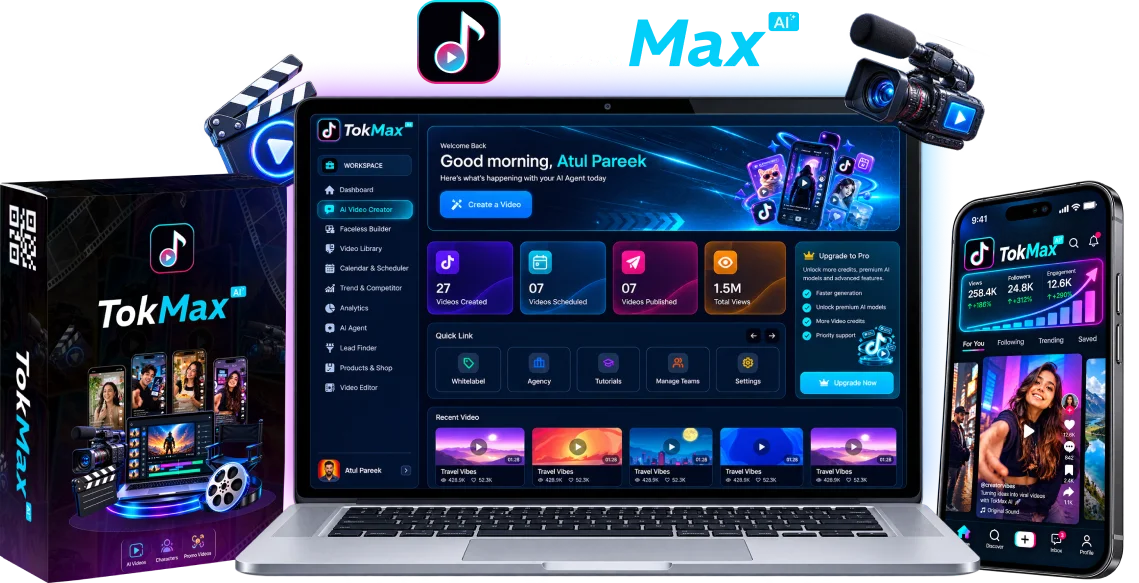
Write a one-video brief before opening the generator
Choose one viewer and one question. A short educational video might explain how to compare two everyday choices or show one common mistake. Give it one useful takeaway. A request to create a viral clip does not tell the software what must be accurate, what evidence is available or what the viewer should understand.
Write down the audience, the main point, the visual material you can legitimately use and the next appropriate action. Include facts that must not change, such as a product name or a stated price, and flag anything that needs checking. For a commercial demonstration, distinguish an observed capability from a hoped-for outcome.
The niche-planning guide helps choose a repeatable topic. For the first video, keep the brief narrower than the entire channel. You want a complete piece you can assess, not several unfinished formats competing for attention.
Prepare sources and a useful starting input
TokMax's seller describes several starting inputs, including a topic, script, image, product and URL. Choose the input that contains the clearest verified material. A URL is a starting point for research, not permission to reproduce all the page's images, claims or customer testimonials.
If you already know the explanation, prepare a short script or a factual outline first. List the points that require a visual and identify what the visual should demonstrate. For material supplied by a client, obtain approval for the business facts and media before generation. Do not send unnecessary personal information as source context.
Keep a copy of the brief outside the generated result. That makes it easier to identify whether a revision fixed the actual problem or simply made the output different. The workflow explanation shows how these inputs connect to later editing and scheduling decisions.
Build one reviewed TikTok routine
Choose the core workflow around a clear audience and a manageable production routine. The pricing guide separates Creator, TOK2, optional FastPass and finite credits.
View the TokMax AI Creator offerReview the hook and script as an explanation
The opening should give the viewer a concrete reason to keep watching. Lead with the question, an understandable contrast or a specific mistake. Do not use a dramatic promise that the rest of the video cannot support. The useful test is whether a stranger can identify the subject without needing the caption to explain it.
Read the script aloud. Remove repetition, check names and numbers, and ensure each sentence advances the explanation. A short clip rarely needs several separate calls to action. Choose the next step that follows naturally from the useful information: watch another explanation, inspect a resource or consider an appropriate offer.
For a product recommendation, do not let generated copy invent your experience. Say what you actually know, and keep the commercial relationship clear. Our commercial-content guide explains how product usefulness, disclosure and the intended destination fit together.
Generate one draft and record what it costs
Before creating media, inspect the balance and any consumption notice visible in the account. Creator is described by the seller as including 5,000 one-time credits. That number is not a guaranteed video count, a monthly refill or proof that all revisions are free.
Generate one draft rather than a large batch. Record the starting balance, the requested job, the resulting balance and whether the output is usable. If the account does not show enough information to identify a cost, mark it unknown instead of estimating a tariff from the size of the balance.
The credits guide gives a more detailed production ledger. The purpose here is simple: learn whether your chosen format can be produced and reviewed without spending the entire allowance on avoidable retries. Do not assume an optional expansion solves a briefing or factual-accuracy problem.
Finish the video on a phone-sized preview
Watch the complete draft at normal speed. Check whether scenes match the spoken explanation, whether the narration pronounces important words correctly and whether the ending feels complete. A technically generated file is not automatically an approved piece of communication.
Review captions for timing, line breaks and placement. Keep essential words and objects away from interface overlays. Listen for music that obscures the narration and confirm that any music, image, footage or voice is permitted for the intended use. A commercial software license is not a blanket license to every third-party asset.
If the job requires detailed timeline control that the available editor does not provide, use a suitable finishing process. The TokMax AI versus CapCut comparison separates connected production from precision editing without claiming a universal winner. Keep the accepted version clearly identifiable so an earlier draft is not scheduled by mistake.
Approve the publishing handoff and inspect the post
Review the caption, account, privacy setting and intended time before scheduling. Public direct posting depends on the integration and the account's authorization; a calendar entry alone does not establish that TikTok accepted or published a video. Use the actual status information rather than treating a scheduled badge as a public URL.
Apply the appropriate AI-generated and commercial-content disclosures. TikTok's Direct Post documentation explains the need for app approval and user authorization. These platform requirements do not certify any particular TokMax integration or your account's eligibility.
After the intended release, inspect the actual post and confirm the right version appeared. If the process failed, identify whether the problem concerns media, authorization, processing or moderation before resubmitting. The content-calendar guide covers that recovery process and avoiding duplicate publication.
Use the first video to improve the next brief
Record what you learned: the script's clarity, visual fit, revision work, credit consumption and publishing result. These are separate observations. A well-produced clip can receive little distribution; a clip with many views can still attract the wrong audience.
For the next video, choose one deliberate improvement rather than changing the entire format. Perhaps the opening needs a clearer question or the demonstration needs a more relevant visual. The analytics guide explains how to connect performance observations to a useful editorial decision without promising causation from one upload.
Frequently asked questions
Do I need every TokMax upgrade for a first video?
Do not assume that. Start with the core job and your actual account controls. Compare an optional upgrade only when a specific requirement or limit makes it relevant.
How many credits should I reserve?
The current evidence does not establish a universal cost per finished video. Inspect the account's stated charges, record a small job and leave room for necessary revisions rather than committing the full balance immediately.
Does this tutorial guarantee a public TikTok post?
No. Successful generation, account authorization, delivery and platform acceptance are distinct stages. Confirm the resulting public post rather than relying only on a schedule entry.
Is the first-video process a timed test you performed?
No. It is suggested production guidance. The publisher reports trying and liking TokMax, but no timed protocol, specific plan coverage or measured audience result has been supplied.
Put this workflow in context
Read the complete TokMax AI review for our recommendation, product scope and buying considerations.
Build one reviewed TikTok routine
Choose the core workflow around a clear audience and a manageable production routine. The pricing guide separates Creator, TOK2, optional FastPass and finite credits.
View the TokMax AI Creator offerEvidence and editorial scope
We tried TokMax AI and liked using it. This is qualitative publisher feedback, not a measured performance benchmark. Features are attributed to the seller; suggested workflows are guidance, not invented test logs or customer results.
The official offer and Creator checkout were inspected on November 2, 2026 without purchasing. TikTok platform requirements and the selected purchase terms are separate from our qualitative software experience. Promotional images and editorial diagrams are identified in their captions.