
A video can look polished in a thumbnail and still be hard to understand on a phone. Captions may move too quickly, important words may be obscured and the invitation may be too small to read. A useful quality-control pass examines the complete viewing experience, not just whether a file finished rendering.
ViralForge's official description includes captions, alternative openings and multiple formats. This guide is our editorial acceptance checklist for reviewing that kind of output. It is not a claim of formal accessibility certification or a measured audit of every product feature. See the ViralForge AI review for the wider assessment.
Disclosure: we may receive a payment when you buy through our links, at no extra cost to you. This is a commercial editorial publication, not the product creator or account service.
Watch once without sound
Start by checking whether a person can follow the core explanation without hearing the narration. The first frame should orient the viewer, the captions should preserve the meaning and the next action should be understandable. If the message depends on an important spoken qualification that never appears visually, fix the mismatch.
Check contrast against every background, not just the opening scene. A caption that is readable over a dark image can disappear over a bright one. Use a consistent treatment that remains legible across the actual export rather than judging a single screenshot.
Keep on-screen text focused. Captions, a title, decorative labels and a product callout can compete for the same small area. Remove elements that do not help the viewer understand the content. More words on screen do not automatically make a video more informative.
Review captions as sentences, not decorative effects
Correct product names, numbers, qualifications and punctuation. Break lines at sensible points so the reader does not need to reconstruct a phrase across several rapid changes. Leave enough time for the intended audience to read the text comfortably.
There is no universal caption size that works for every layout, device and destination. Inspect the file at a realistic phone size, including the surrounding platform interface where practical. Important information should not depend on a viewer pausing and zooming to read it.
If the video uses more than one language, check the caption separately from the narration. Our localization checklist explains why accurate speech and accurate displayed text are independent approval steps.
Check the spoken explanation and presenter
Listen for pronunciation, unnatural pauses and a mismatch between tone and subject. Make sure the narration says the same thing as the approved script. Pay special attention to prices, dates and statements that become misleading if a short qualification is missing.
Do not let a synthetic presenter imply a personal experience that did not happen. A clear product explanation is different from a customer testimonial. The official workflow advertises AI presenters and an AI label in the scheduling process; inspect the actual publication controls rather than assuming a generated file alone satisfies every disclosure requirement.
If the campaign contains a real person's likeness or voice, retain the relevant authorization. A quality-control checklist cannot replace that permission, and a technically clean output does not establish that its use is appropriate.
Review framing and destination-specific presentation
The official material describes vertical, square and wide formats. Confirm that the selected export suits the intended placement. Reframing can crop a product, cut off captions or leave important content in an area covered by interface controls.
| Check | Pass condition | Fix before scheduling |
|---|---|---|
| Opening | The topic is understandable immediately | Replace an unrelated or misleading first frame |
| Captions | Meaning is accurate and comfortably readable | Correct words, timing, contrast or layout |
| Speech | Names and facts match the approved script | Revise pronunciation or narration |
| Framing | Important content remains visible | Adjust composition or export format |
| Next step | The invitation matches the destination | Correct label, link or offer description |
These are editorial criteria, not a product-generated score. Keep the checklist short enough that someone can apply it consistently to every approved variation.
Treat a batch as several deliverables
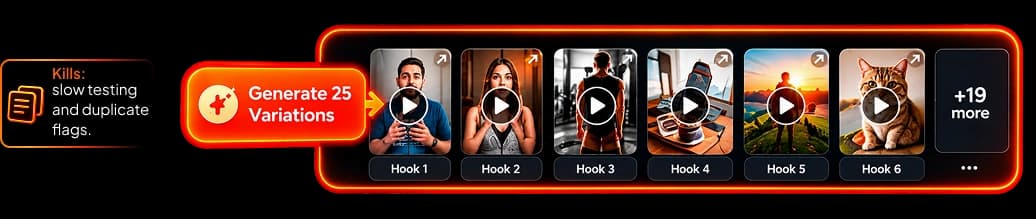
Review the variants, not just the first file. A new hook can change the meaning of the same body. A different caption or on-screen phrase can introduce an error even when the underlying script was approved. Identify the actual exports being scheduled so a corrected file does not get confused with an older one.
Use a clear naming pattern and keep a small exception list. If a version fails review, note why: inaccurate statement, unreadable text, wrong visual or destination mismatch. This makes the next correction more precise than asking the generator to make it better.
For deliberate creative differences, use our hook matrix. Quality acceptance and creative performance are different questions: a file can pass factual and readability checks while still needing a stronger angle for its audience.
Confirm publication and keep the approved files
After scheduling, confirm the item actually publishes and inspect the public result when appropriate. The publishing platform may apply its own processing or display controls. A successful export and a scheduled calendar entry are not the same as a correctly delivered post.
Keep approved scripts and final files in an organized location you control. Record the publication link and any later correction. Our client handoff guide shows how to make that record useful to both the editor and the brand owner.
Read the official workflow description for the advertised captions, formats and scheduling features. Use the checklist to decide whether your own material is clear enough to publish, rather than treating automation as the final reviewer.
Frequently Asked Questions
Is this an accessibility certification?
No. It is a practical editorial readability and quality-control checklist, not a formal compliance assessment.
Should I inspect every creative variation?
Yes. Hooks, captions and framing can differ between versions, so approving one file does not automatically approve the entire batch.
Does the export guarantee the public post looks identical?
No. Inspect the actual publication when possible because destination processing and interface overlays can affect presentation.
What should I save after approval?
Keep the approved script, final export, version identifier, destination and publication link. Record any correction so the old file is not reused accidentally.