
Twenty-five versions are only useful when the differences answer a real creative question. A short-video campaign becomes easier to learn from when you can say exactly what changed and why. This guide turns ViralForge's advertised FreshHooks and Multiplier features into a small, understandable testing plan rather than a folder full of nearly identical openings.
The method below is our editorial planning framework, not a report of a campaign we ran. The official product material describes alternative hooks, captions and framing; we explain how to use that capability deliberately. For the wider product assessment and our positive qualitative experience, start with our ViralForge AI review.
Disclosure: we may receive a payment when you buy through our links, at no extra cost to you. This is a commercial editorial publication, not the product creator or account service.
Choose one decision the viewer needs to make
An opening should prepare someone for the actual content. Before generating variants, write the decision in plain language: decide whether this tool fits a weekly publishing routine, understand how a service works, or see what to check before choosing a product. If the script answers three unrelated questions, changing the hook will not solve the underlying confusion.
Keep the audience equally specific. A first-time creator needs a different explanation from an agency already producing client videos. You can reuse the same broad format for both, but they should not be mixed into one small experiment. Define the audience, offer and next action on the brief before choosing your reference video.
For example, an equipment retailer could focus on one question: which microphone suits a small desk? That brief is more workable than promoting every item in the store. It also gives you a useful standard for rejecting a catchy opening that has little to do with the explanation that follows.
Build three angles and three opening styles
Use a matrix to separate the reason to care from the way you introduce it. Three practical angles might be solving a problem, avoiding an unnecessary expense and choosing the right fit. Three opening styles might be a direct question, a visible comparison and a short demonstration. Combining them gives nine intentionally different creative briefs.
| Angle | Question opening | Comparison opening | Demonstration opening |
|---|---|---|---|
| Solve a problem | Why is desk audio unclear? | Desk setup before and after a change | Show the microphone position |
| Avoid waste | Do you need the largest model? | Match features to actual use | Show the smallest workable setup |
| Choose the right fit | Which option suits your room? | Compare two use environments | Walk through a simple selection check |
These are illustrative prompts, not claims about a specific microphone. Supply accurate product details and approved demonstration material before rendering. The matrix should make the creative more precise, not encourage a made-up performance comparison.
Keep the body and destination stable
To learn something about the opening, keep the main explanation and next step as consistent as practical. If one version uses a different audience, another offer and a completely different script, you are comparing whole campaigns rather than hooks. That can still be useful, but label it correctly.
In your working file, record the hook identifier, script version, offer, intended platform and destination. A label such as desk-question-fit-a is more useful than final-final-3. Keep that label in your internal asset record; it does not need to appear in the public video.
ViralForge's current description includes hook, caption, hashtag and framing changes. Review those changes together before treating two outputs as a tightly controlled comparison. The software can help produce alternatives; you still decide whether the alternatives answer the same question.
Approve a small sample before expanding the batch
Check one complete output from each angle. Watch the opening with and without sound, then ask whether the body delivers what the first sentence promised. Correct pronunciation, unclear captions and inaccurate product statements at this stage. A batch repeats weaknesses as efficiently as it repeats strengths.
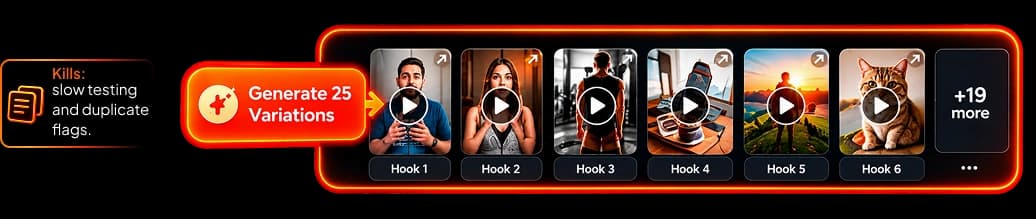
Keep the strongest distinct ideas rather than every output. Nine useful variations can teach you more than twenty-five versions that differ only cosmetically. The entry plan's current published allowance is 30 videos monthly, so indiscriminate regeneration can also consume capacity you wanted for other topics. Confirm how the selected plan counts renders and retries.
Our monthly content plan helps reserve space for review and follow-up content. It is usually easier to scale a clear brief than rescue a large batch whose purpose was never defined.
Read results in the right order
Start with evidence that the content was actually delivered and viewed. Then examine the available audience signals for that destination: whether people continued watching, reached the useful explanation or took the intended next action. Metric definitions and availability differ by platform, so keep the platform's own labels in your report.
Do not declare a winner from a tiny difference or from posting at unrelated times to very different audiences. Small early results can suggest what to investigate next; they do not establish a universal best hook. Record context such as publication time, topic, account and any promotion around the post.
A click is not a purchase. If the campaign goal is a sale, connect the creative record to the separate reporting that actually records purchases. Our video-to-offer funnel guide explains the measurement layers without promising retrospective attribution.
Turn the learning into the next brief
Describe what you learned in a sentence that another editor can use. “The visible comparison explained the choice more clearly” is more actionable than “make it more viral.” Keep the supporting observations beside that sentence, including any uncertainty caused by a small sample or a different audience.
The official workflow describes saving formats and using Clone Again to create another batch. Use that as a starting structure, then add a genuinely new example or buyer question. A useful format can become repetitive if every subsequent video repeats the same explanation.
For a balanced next batch, keep one promising angle, improve one weak explanation and introduce one new question. That gives you continuity without making your publishing calendar feel like a loop. Check the official feature description against the selected plan before buying extra output capacity.
Frequently Asked Questions
Do I need to generate all 25 versions at once?
No. The advertised batch maximum is a capability, not a requirement. A smaller set with clearly different angles can be easier to review and interpret.
Is this matrix a built-in ViralForge feature?
No. It is our editorial planning method for organizing the advertised hook and variation tools. We are not claiming that the product includes this exact template.
Can I choose a winner from views alone?
Views describe exposure, not the entire campaign outcome. Use the available engagement and destination signals alongside the actual business objective, and keep purchase reporting separate from clicks.
Should every version use a different offer?
Not when your immediate question concerns the opening. Holding the offer and core explanation stable makes the creative comparison easier to understand.