
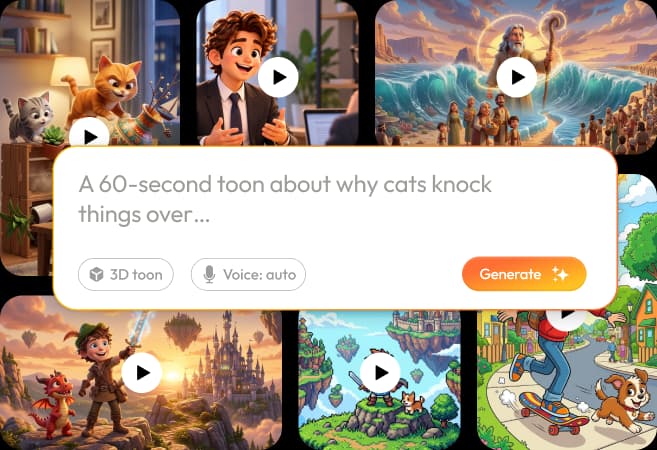
RocketToons for YouTube Shorts and Reels is most useful as a focused production workflow: choose one visual event, keep the cast recognizable and deliver a file that reads clearly on a phone. The official specifications describe vertical output alongside widescreen and square formats.
This guide is about preparing the content, not promising reach or interpreting every current platform rule. Our RocketToons review explains why we like the product; the export guide covers the broader finishing process.
We may earn a commission if you purchase through links on this page, at no extra cost to you.
Build the short around one event
A vertical cartoon has little room for a long introduction to several unrelated characters. Start with an understandable question, problem or action. An original example might show a robot choosing between two mislabeled recycling bins, then discovering the correct rule. This is a suggested creative brief, not a result from our testing.
Make the payoff connected to the opening. If the viewer sees a puzzle, answer it. If the opening shows a character facing an obstacle, resolve or deliberately develop that obstacle. A clear event gives the script a direction without relying on an unsupported claim that a particular hook will make the video viral.
Frame for a phone from the beginning
Do not assume a widescreen composition can be cropped without losing meaning. Keep faces, important props and essential text inside the vertical composition. A conversation staged across the far left and right of a wide frame may need different shots rather than a tighter crop.
Use larger visual cues and less background clutter when the content will be watched small. Preview the scene at approximately its real viewing size. Check whether you can identify who is acting and what changed. The character guide helps preserve identity when switching between wide shots and close-ups.

Make captions useful rather than decorative
RocketToons describes word-by-word caption options. Review the actual words, line breaks and contrast against the scene. Names, unfamiliar terms and numbers deserve particular attention. A moving caption style is not helpful if it hides the object the viewer is supposed to inspect.
Place captions where they do not compete with faces or the key action. Check the target platform's current preview because interface overlays can change. Avoid tiny type, excessive text and several simultaneous messages. The viewer should not need to pause repeatedly to understand a short sentence.
Keep audio clear without depending on it alone
Use voiceover to support the visual story, and review music beneath dialogue. A short can be visually readable while still rewarding someone who listens. If the message depends entirely on one spoken fact, reinforce it with an appropriate visual or caption rather than leaving a silent viewer with unrelated motion.
Before exporting, listen to the first line and the ending on ordinary speakers. Remove unnecessary verbal setup. The voiceover guide explains casting and pronunciation; the music guide addresses a soundtrack that does not overpower the words.
Separate export from direct publishing
Downloading a vertical MP4 and sending a post through a connected account are different capabilities. The current official overview describes direct posting and expanded scheduling tools, while the supplied specification places some publishing features differently. Confirm your package and connection requirements rather than assuming every export entitlement includes scheduling.
Manual uploading is still a valid workflow when direct publishing is unavailable or you prefer a final platform-side check. Inspect title, description, thumbnail, captions and any required disclosures before publishing. Do not assume a successful render proves that a social upload completed or that all metadata transferred correctly.
Use a repeatable series plan
Choose a recurring cast and a narrow subject so that each episode has a recognizable purpose. Keep a simple record of episode premise, script status, approved reference, export and publication. The official overview describes episodic planning, but the editorial direction should remain understandable without an automated calendar.
Review audience feedback after publication and improve clarity in future scripts. Do not turn one early result into a universal performance claim. A stronger production habit is to keep the story, visual identity and delivery checks consistent while testing specific creative ideas one at a time.
Frequently asked questions
Can RocketToons produce vertical videos?
The official specifications describe 9:16 output alongside 16:9 and 1:1. Confirm the current export options in your selected account.
Does this guarantee Shorts or Reels views?
No. This is a content-production workflow. Reach depends on the video, audience, distribution and platform context.
Is direct posting the same as scheduling?
No. Treat immediate posting, connected-channel limits and calendar scheduling as separate entitlements to verify.
Should I crop a widescreen film automatically?
Review the composition first. If the story depends on action outside the vertical frame, reframe or edit the shots rather than accepting a damaging crop.
Product information and review scope
Product information checked October 24, 2026 against the official product specifications and supplied product material. Official descriptions inform the feature breakdown; they are not independent evidence of results. Where the sources disagree on package allowances, this guide preserves the uncertainty rather than choosing the most generous figure.
We tried RocketToons and liked using it. That qualitative experience is separate from package documentation and does not establish testing of every optional module, a paid-checkout verification, a measured outcome or a particular refund period. Use the official purchase route for current availability and the selected order's terms.